

Making a professional-looking website is easier than ever before. There are now many different ways to build a website, with many of them being designed for people with no coding experience. In 2026, website builders have made it possible for anyone to create a beautiful, responsive, and functional site without having any coding experience at all. If you’re looking to create a website for your personal blog, online portfolio, business website, or online store, today’s website builders offer a wide range of tools and features designed specifically for beginners, including easy-to-use drag-and-drop editors, AI design tools, ready-made templates, and so on.
When you’re a beginner, finding the right website builder will save you a lot of time and money, and will also mean you won’t have to hire a web developer to build your site. The majority of website builders provide web hosting and an SSL certificate along with your chosen domain name as a complete package. The majority of website builders also offer domain management, mobile optimization, SEO tools, and customer support.
However, not all website builders provide the same features. Some website builders are built for ease of use, while others are built for advanced customization options or advanced eCommerce functionality. The type of website builder you choose will depend on your goals, the level of technical expertise you have, the budget you have to spend on websites, and your future growth plan.
In this guide, we’ve compared a wide range of different types of website builders to help you determine which one will be the best for your specific needs as a beginner. Along with providing a comparison of the most popular website builders, we’ve also highlighted each one of their unique features, their most common uses, the pricing of their services, and their specific strengths. From this guide, you should be able to feel confident and successful as you build your own website from start to finish.
Top website builders for beginner users
Wix
Wix offers an intuitive drag and drop interface, plus use of an AI website creation tool which makes it easy for people without technical experience to create a website using the many professionally designed templates available on this platform. This platform allows users to create blogs and portfolios as well as business sites and ecommerce sites.
Squarespace
Squarespace offers many elegant template designs providing a great deal of creative flexibility. Photographers, artists and creatives looking to develop an engaging website with visually stunning design, will want to consider using SQ as their website builder.
Shopify
Shopify is the platform of choice for beginners launching a successful ecommerce venture because it includes all of the tools you need to get started including inventory management, secure payment processing, shipping solutions, and many third party applications.
Hostinger Website Builder
Hostinger provides an affordable AI driven website builder designed specifically for beginner users. Users can build their own websites quickly and easily with no technical skill required.
WordPress.com
WordPress.com strikes an excellent balance between ease of use and flexibility. Beginners can get started quickly and easily, then gradually add other features such as blogging, customization, and scalability as their websites grow larger.
Overall, comparing each of these web builders will guide beginners to select the web builder that fits their needs and meets their budget.
Features of good website builders
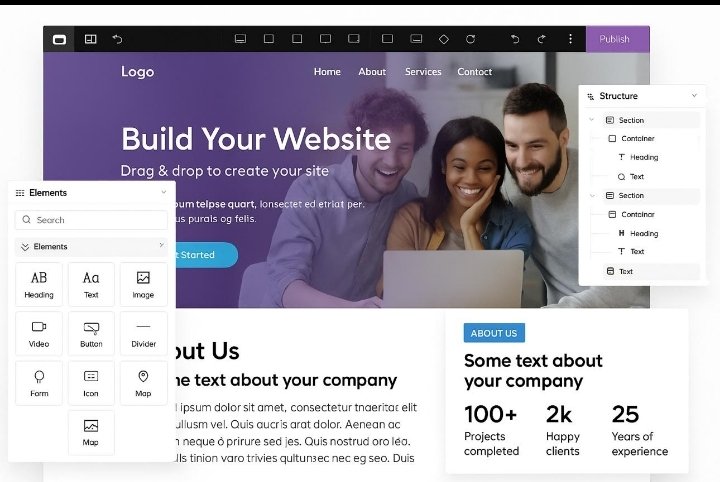
Drag and drop interface
Beginning web designers can utilize simple drag and drop designs to create web pages using no programming or technical skills.
Mobile-friendly templates
Today’s templates will automatically adjust to work with mobile phones, tablets and desktop computers so users can have a great user experience regardless of device used.
Search engine optimization (SEO)
A good website builder has integrated SEO capabilities such as the ability to set custom meta titles and descriptions, image optimization, XML sitemaps and clean URLs to help your website become visible in search engines.
AI website design options
Artificial intelligence can be used by website builders to assist with layout generation, content writing suggestions, colour options and speed page building.
E-commerce functionality
Website builders assist with building product catalog management systems, secure payment systems, inventory management systems, shipment management systems, and customer order management systems for eCommerce websites.
Customer service and support
Having access to reliable customer service via live chat, email, tutorials and knowledge bases helps new web design to quickly identify and resolve any issues that may arise during creation of their website.
When selecting your website builder ensure it meets the above criteria so you will have an easy website design experience and be successful for a long time to come.

Choosing the right website builder for You
Establish your goals
The type of website you want will influence your fact-finding; i.e., personal blog, business site, online store
Compare stated prices
Check for monthly fees, if any; free vs. premium pricing; etc., along with what software, etc., are included with pricing; then make your comparison on overall value by translating features to fit individual requirements.
Evaluate usability
Try selecting website builders based upon how easy they would be to use as a beginner: Do they provide obvious user interface? Does the site allow visual editing? Is there a steep learning curve?
Determine level of customizability
Site builder platforms that offer plenty of flexible template styles/templates, custom font styles/fonts, customized color controls, and third-party-compatible app integration will help you create and maintain an evolving website.
Know what security and oerformance
issues exist
Select a web builder that will provide all firewall protection; automatic backup; secure hosting services; up to (within +/-250 milliseconds) loading times; etc. You won’t want to go through events such as not being able to recover your site after you have worked hard to build it; hence, evaluation of security and performance requirements.

After evaluating all options based on listed criteria, new website builders will be able to make a sound decision in selecting an appropriate web-building program to meet their present requirements as well as meet their needs into the future by expanding their existing website.
Conclusion
When considering which website builder to use for your first website, it is important to keep in mind your goals and how much customization you would like for your site. Most importantly, the tools available today make it easy for anyone with little or no coding experience to create a website.
Wix has great ease of use, Squarespace has great design, Shopify is great for eCommerce, Hostinger is great for affordable creation using AI technology, and WordPress.com has excellent scalability for long-term success.
In order to choose which website builder to use, carefully compare other options that include different templates, pricing, SEO capabilities, overall customization options, customer support availability, and overall performance. Almost all of these types of platforms allow for a free trial to test out their solutions and see if they meet your needs prior to signing on for a paid plan.
Once you select your platform, you will have everything you need in order to create a successful and professional website that effectively markets and builds your brand and provides you with the tools to grow and develop into a successful business for years to come (in particular by 2026 when most businesses will have implemented new forms of communication through the internet and be “online” using their website).