



With the introduction of cloud storage, consumers and businesses have access to a new frontier in digital computing. In 2026, consumers rely heavily upon using cloud-based platforms to store, share, and manage their photos, videos, documents, work files, and backups, as well as to access them virtually from anywhere. Whether you are a student, contractor, business owner or corporation, cloud storage provides a simple, secure way to manage all types of digital data without solely relying on your computer’s hard drive.
In addition to storing files, modern cloud storage will offer many features such as automatic backup and restore options, real-time collaborative editing, versioning of files over time, AI powered searching, advanced encryption, and near real-time sync between devices. By having these capabilities, businesses increase productivity and protect their sensitive data from failure of a storage device, accidental deletion, ransomware, and loss of data.
The best cloud service for your personal or business needs has many factors to consider; what type of storage do you need; how much will you spend; what type of security do you require; how will you collaborate with others; what types of devices will the service be used with and will there be any value in using the same type of service as your current ecosystem.
This document will compare the best cloud storage solutions in 2026 and provide a summary of their features, pricing, level of security, and the types of use cases for which they are best suited to assist you in making your choice.

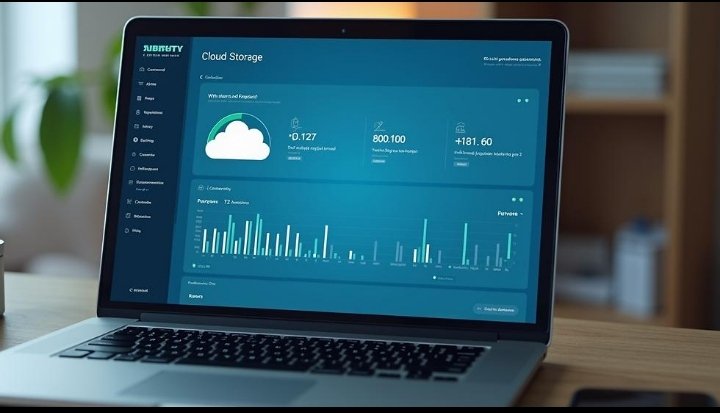
Comparing Cloud Storage Options
Google Drive
With its amazing ability to fit into the Google Workspace ecosystem, Google drive still offers the best all-around option for cloud storage. With the potential for sharable access, collaborative editing, automatic back-ups, etc., and its substantial amount of storage options; this makes it an obvious choice when deciding where to store your files securely.
Microsoft one drive
Microsoft OneDrive is the best alternative for people who use Windows because it fits nicely with Microsoft 365’s complete environment. This is also an excellent option for people who utilize Microsoft Office (Word/Excel/PowerPoint) and Teams for their work or are employed by a business that utilizes Microsoft products.
Dropbox
Dropbox has a great reputation due to its easy-to-use interface, fast file syncing, Smart Sync technology, and its team collaboration features.
iCloud drive
For Apple users, the iCloud Drive is an excellent option that has been designed to work with all macOS/iOS devices (macbook/iphone/ipad), so your files are automatically backed up/synced across the entire platform.
pCloud
pCloud provides lifetime data stores, excellent encryption via strong encryption, and on-device encrypted files, which makes it attractive to customers who desire privacy.
The differences between each platform are significant; therefore, it is recommended that the user compares feature sets and pricing before making a choice on which cloud storage service best meets their needs.


Necessary features you should look for in your cloud storage
Data encryption
Encryption provides extra security for your data while it is in transit as well as on the cloud server, maintaining confidentiality of your sensitive information.
Backup
A good cloud storage solution should be able to automatically back up all your important files so that data loss from hardware failure or accidentally deleting files is much less likely.
Compatibility
Most of the major cloud storage providers support a variety of operating systems and end-user devices, like Windows, Mac, Linux, Android, iOS, and through web browsers. This allows you to access your files on any device.
File sharing
Good collaboration is made possible with a cloud storage provider through the use of link sharing, permission controls/permissions, real-time editing and sharing capabilities, etc.
It is best to choose a cloud storage provider that has sufficient space to meet your current data requirements and the ability to increase storage as your data grows.
Amount of storage
File Version History
File version history will give you the ability to recover an earlier version of a file in case it was accidentally modified or you made an inappropriate edit to a file. This is an important feature that provides your data with an additional protection.
Having the above-mentioned features in your cloud storage solution will ensure that your files are secure, managed efficiently and able to be managed reliably.

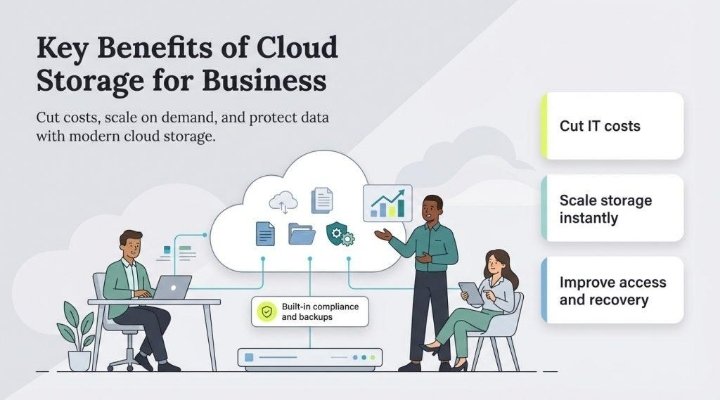
Selecting a cloud storage solution
Before settling on a cloud storage solution make sure you analyse how much data and documents you have today and project how much more data you will expect to store five years from now.
Analyzing cost
Investigate your options based on available free storage limits, subscription plans, lifetime membership options, and family or business plan options.
Analyzing collaboration functionality
Analyzing security
Make sure the vendor provides end-to-end encryption, two-factor authentication, and secure data centres with solid data protection standards.
If you are a business or manage remote teams, find a cloud storage solution that has a feature set allowing a team to collaborate on documents, comment on them, share folders, and provide appropriate levels of access based on the roles within the team.
Analyzing integration
Cloud storage integration with productivity applications, email services, office tools, automated workflows, and others will create an effective solution.
Taking time to compare the various options available will help you achieve your goal of selecting the cloud storage solution that best supports you as a business person or someone working from home with electronic documents.


Conclusion
Different Factors Affect Your Decision About The Best Cloud Storage Service To Use, Including: Personal Preference, What You Do For Work, And How You Want To Secure Your Data. You Can Get Simple File Backups From The Leading Cloud Storage Providers, Or Advanced Collaboration Features, Business Document Management Solutions, And Reliable Long-Term Storage.
Depending On Your Needs, You May Find That Using Google Drive For Productivity, Microsoft One Drive For Microsoft 365 Integration, Dropbox For Great Collaboration, ICloud Drive (If You Use An Apple Product), And PCloud If You Want Privacy-Focused Cloud Storage Will Work Well For You.
When Considering Which Cloud Service To Sign Up For, You Should Compare: Storage Space Available, Price, Encryption Method Used, Collaboration Tools Offered, Speed At Which Files Are Synced, Customer Support, And Free Trial Offers. Many People Offer Free Plans That Will Help You Determine Whether Or Not The Service Works For You Before Committing To Buying A Subscription.
Investing In A Cloud Storage Provider With A Good Reputation: Protects Your Important Data, Gives You Quick Access To Your Files From Any Device, Enables You To Collaborate Easily With Other People On Projects, And Will Help Increase Your Overall Productivity. With The Amount Of Data We Generate Now And Into 2026, Secured Cloud Storage Is Becoming An Essential Technology For Both Home Users And Businesses.